// Parametric AI
I’ve been working with AI as a material for a long time. Over the last decade, I’ve been thinking about how it can shape the experience of products and services without going straight to the obvious first port of call: chat.
At Specific Interests, experimentation is a core part of our practice. Free of the constraints of OKRs and product-market fit, we’ve been able to push these ideas a long way, fast.
Our “specific interests” fall into four areas.
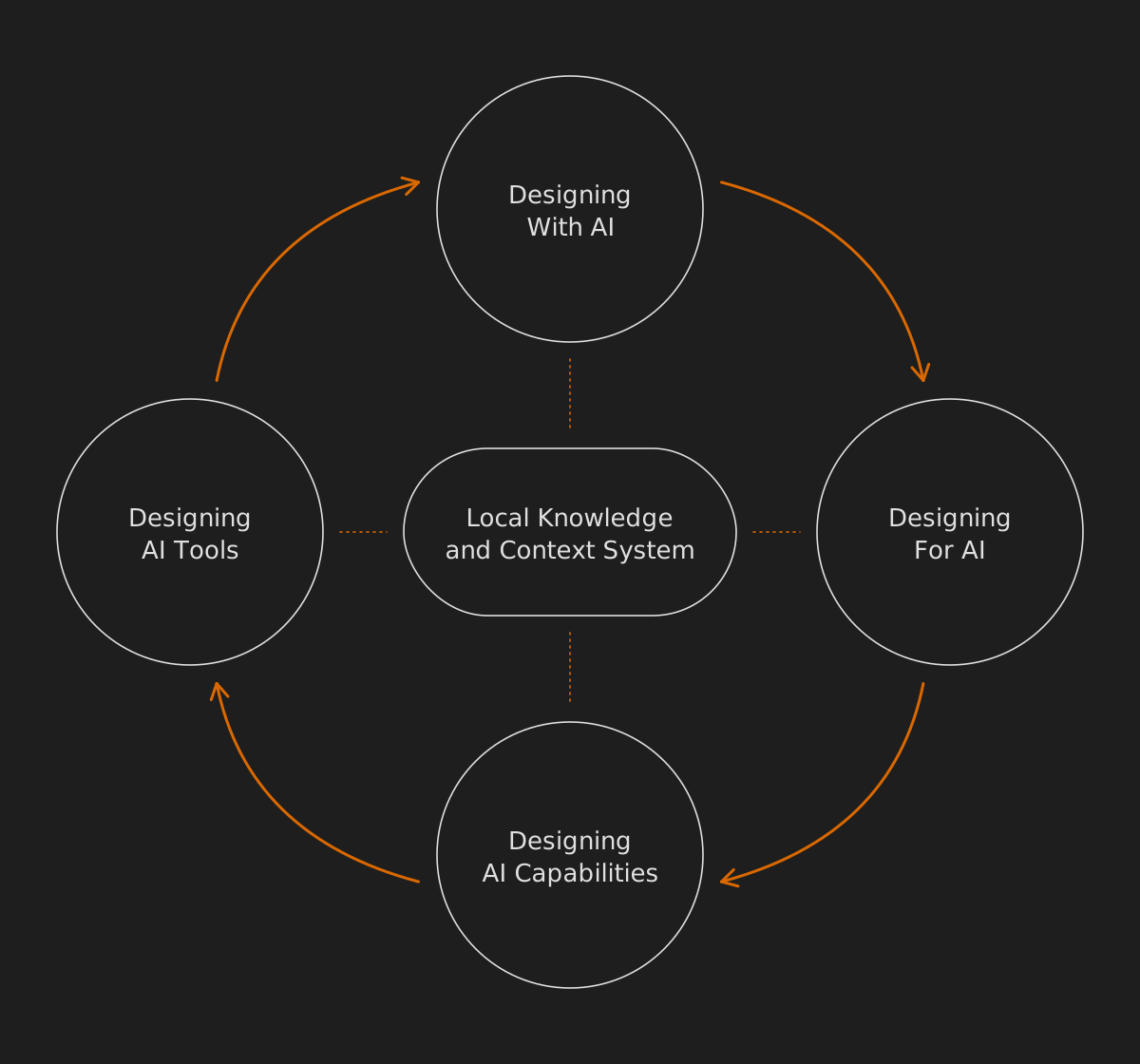
- Designing with AI. Using AI tools to speed up our own creative work.
- Designing for AI. The surfaces where AI-powered experiences show up.
- Designing AI capabilities. The choices behind the scenes, about how models and services hand off to each other, make an interaction timely, useful and trustworthy. We’ve been doing a lot around the voice UI chain lately, getting several local models to work together to understand commands, relay timely status to the user and respond without making things up.
- Designing AI tools. This is where the loop closes. Creativity’s better with your own tools, so we never feel boxed in by what’s available. If we need something for a job and nothing out there hits the spot, we make it. That library of little tools is a big part of how we work.
In the middle sits our local knowledge and shared context system, called Grimoire, which all four draw on and feed into.
All four come together in our little clock, Tick.
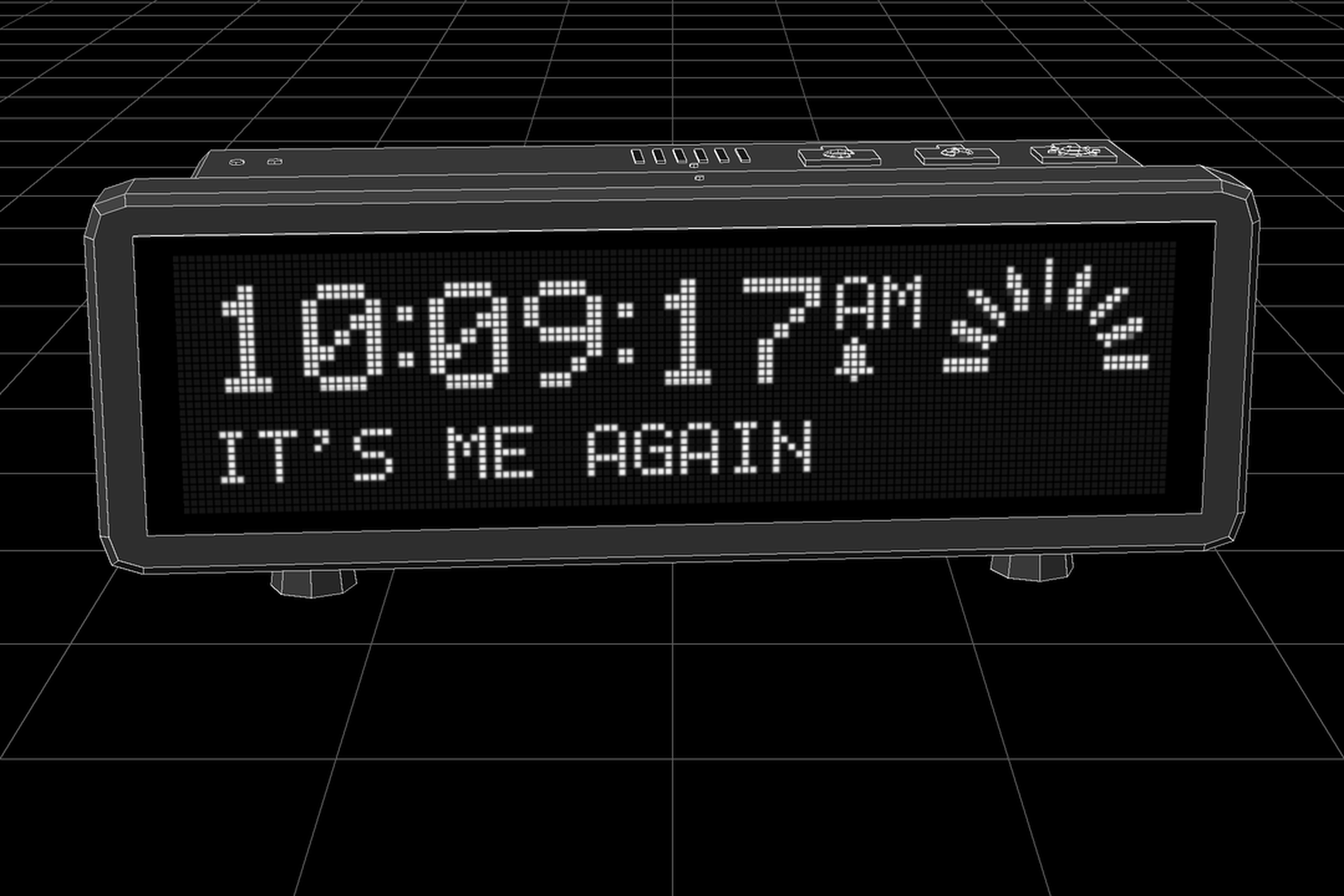
Tick’s become a totem for us. A real thing to push our thinking against and sharpen how we work, and what it’s taught us now goes into every project. Until we learn something that updates or replaces that knowledge.
We love finding new questions.
Constraints
Tick is all about intentional constraints. Its screen is actually a lot higher resolution, but we simulate a 128×34 dot grid designed to look like a vacuum fluorescent display. It’s a clock, and it needs to retain its “clockiness” at all costs, even though it’s inhabited by an AI: Pan, which runs on our local infrastructure.
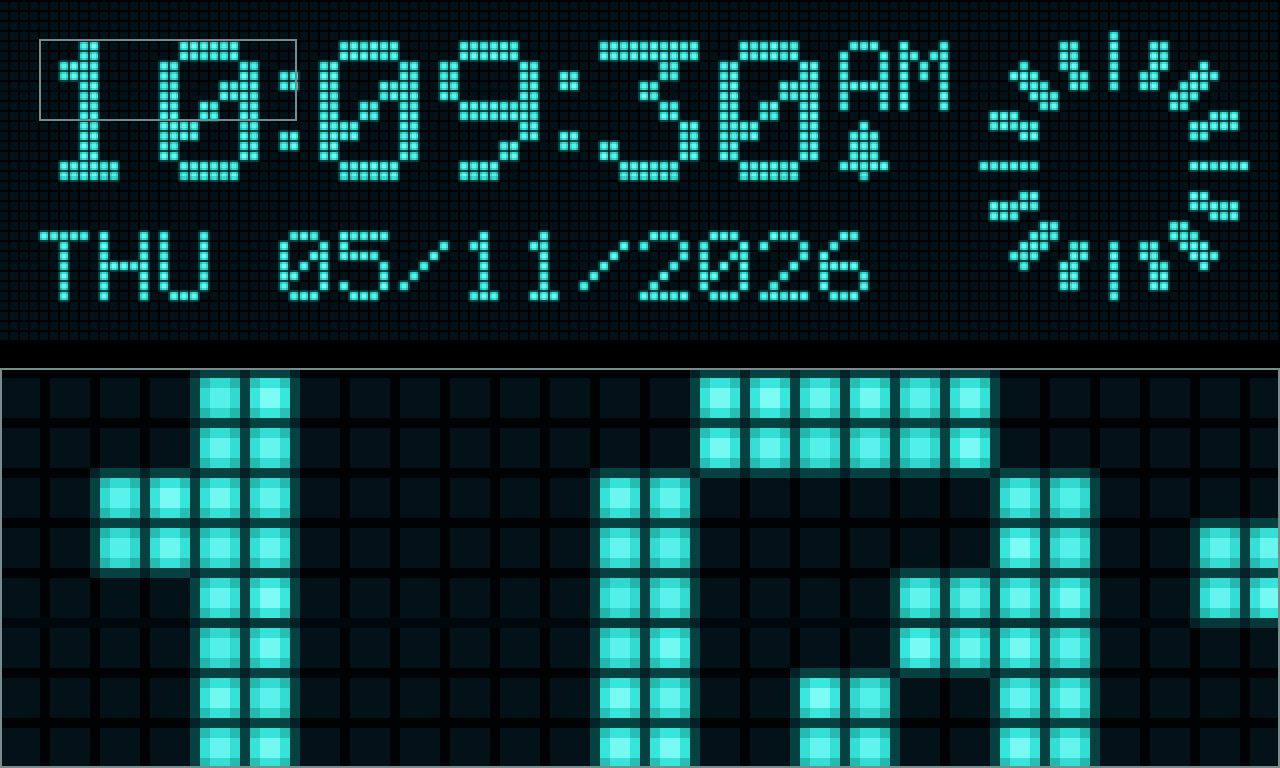
There’s so much we could make it do, but this single principle keeps us honest when we’re discussing ideas.
It’s world-building, and I’ve always found that focusing the imagination like this helps things flow.
Deterministic vs non-deterministic
Deterministic software does the same thing every time. Same input, same output. Most of the products we’ve designed over the years work like this, and it’s a big part of why people can learn them, and then expect the next one to work the same way (Jakob’s Law).
Non-deterministic software can give a different answer to the same question. Ask an LLM the same thing twice and you’ll get two different replies. That’s what makes generative AI feel alive. It’s also what makes a fully generated interface hard to trust, because nothing stays where you left it. The button you used yesterday has moved. The layout has to be read again, every visit. More cognitive load, and slowly less trust. If I don’t know what to expect, I don’t fully trust it.
Tick sits between the two. It’s semi-deterministic. Pan is non-deterministic, so its choices can change from one moment to the next. The parts it builds with always behave the same way.
Parametric, not generative
At 128×34 dots, the idea of having an AI control every pixel independently to build the UI was compelling, but we decided not to do it.
Tick has an on-board speaker. We could generate an audio stream in the same way text-to-speech works, but we decided not to.
Tick is an AI clock. It cannot and will not speak. Ever.
The reason is that we prefer a parametric UI over a generative one. Constraints to keep the AI in check. We don’t think product UX should be entirely generative, even though it could be. We struggle with the ethics of fully generative systems, and with the challenge non-deterministic UX poses for intuition and learnability.
Some earlier experiments backed this up. When we got local models to write page specs for my website, they were good at judgement (which pieces, what words) and rubbish at rules (sizes, limits, not repeating themselves). So on Tick, the rules and guidelines live in code, and the judgement goes to the model.
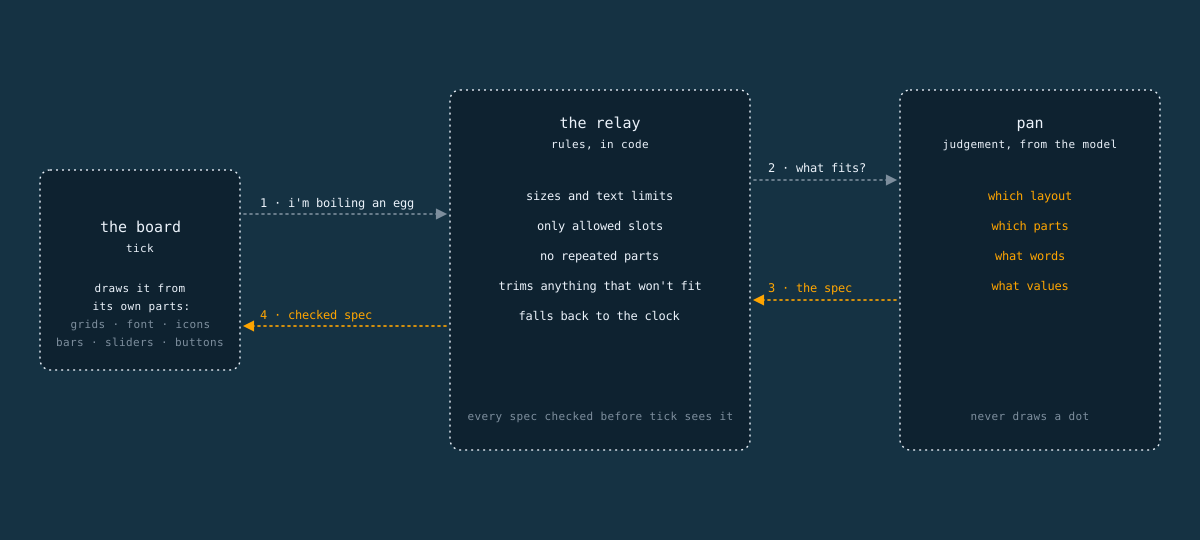
Flexibility is powerful, but constraints bring sharper focus.
“Make Me Think” is a mantra for us. It’s a twist on Steve Krug’s Don’t Make Me Think: when an AI decides what you see, a little friction keeps you aware of what it’s doing.
AI-operable components
So over the last few weeks, our AI, Pan, has been getting two new toys to play with inside Tick. An FM synth, and its own on-board design system.
A parallel specific interest for me is synthesisers and sound design. In particular, I love frequency modulation (FM) synthesis. I held off on sound design for a while because I knew I’d go down a rabbit hole, but when I finally got round to it, a penny-drop moment for me was the realisation that instead of creating a sound set or streaming generative audio, we could build a little FM synthesiser inside Tick, and the AI could operate it to create all the sounds it needs.
Rather than building every raw sound from scratch, it could pick a preset configuration and adjust some performance parameters to suit the moment. Maybe a sound needs to be brighter, more metallic, or duller. It can set those parameters in near real time.
The alarm is the first sound built this way. Its sound comes from the alarm time: the hour and minute set its signature, so 7:30 sounds like 7:30 and 6:45 sounds like something else. Every alarm time gets its own sound, and that sound comes back every morning it’s set.
The screen UI gets the same treatment. Instead of drawing every dot, Pan composes a UI from parametric components we’ve designed: various grid layouts, a pixel font at two sizes, icons at three sizes, and components like progress bars, sliders, switches and buttons that can be placed within the grid system. Each one comes with a set of guidelines and preset parameters the AI can adjust to suit the moment. Pan can “imagine” a user interface, and then send a packet of data that builds and configures it on Tick within the constraints we’ve set. This means whatever it builds always looks and behaves like Tick.
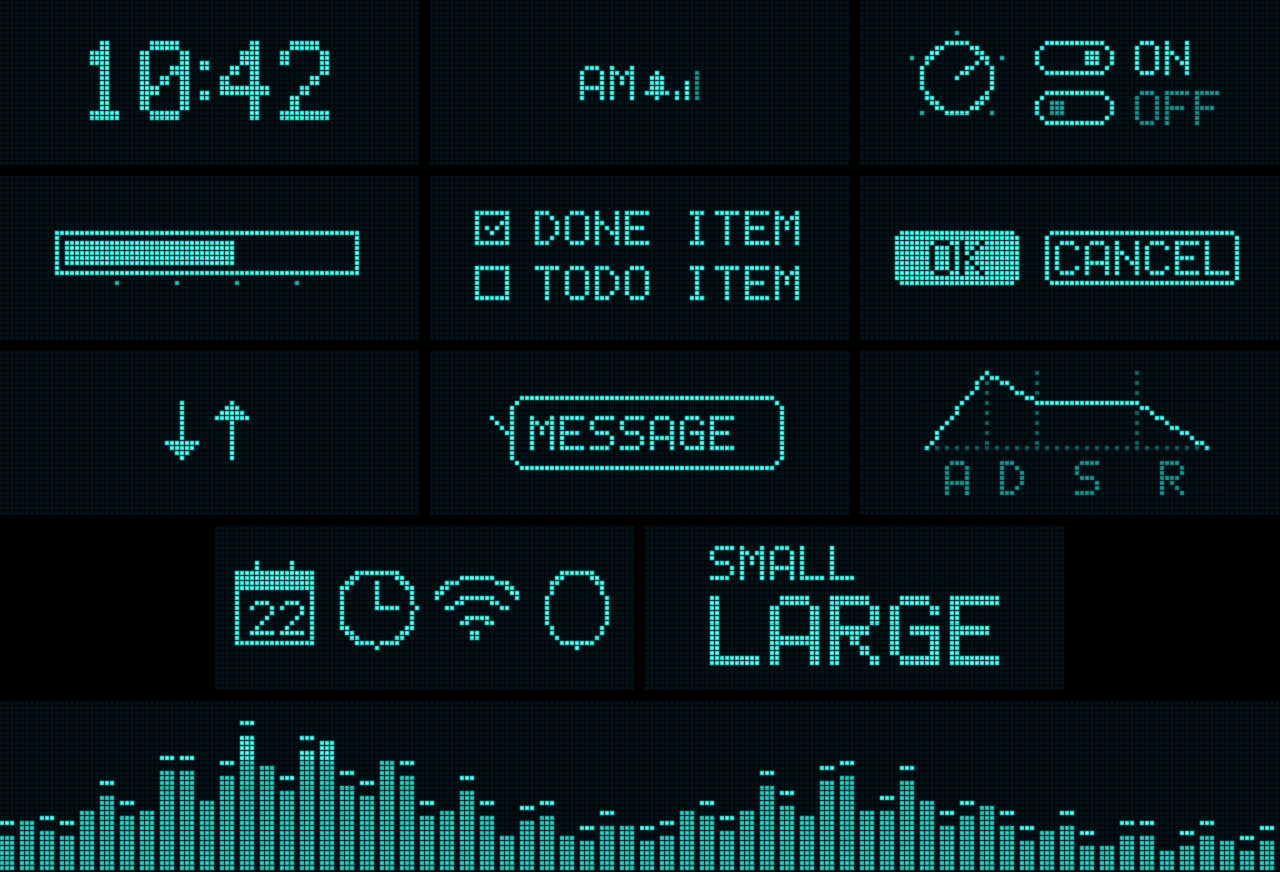
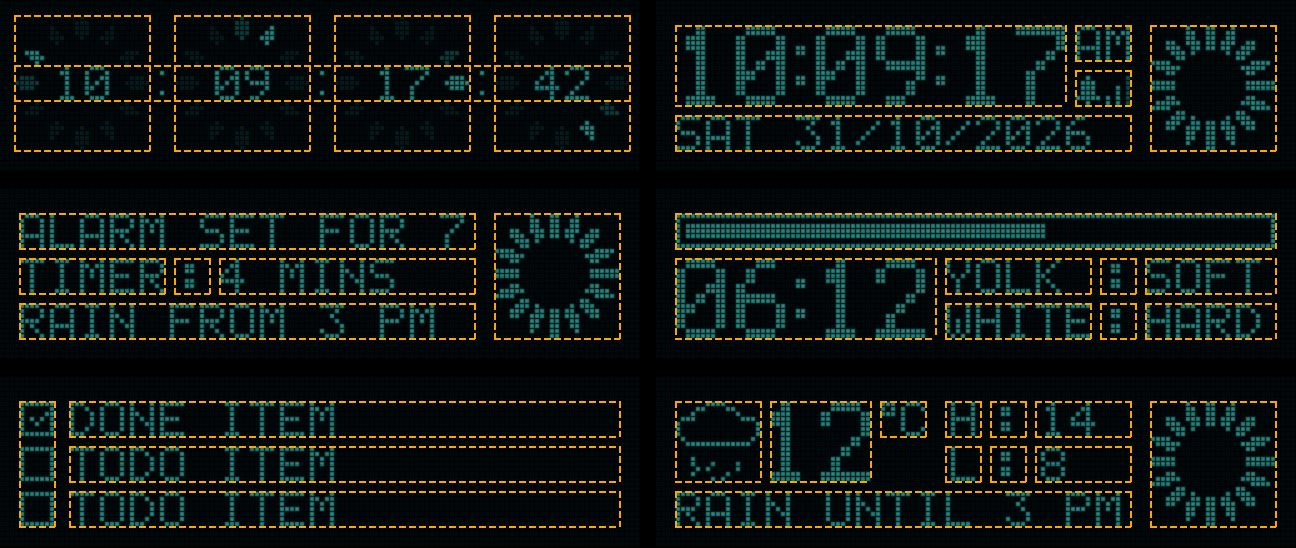
This is what we call AI operability. I found myself saying something funny but true.
“You’re not designing the thing; you’re designing the things the thing can use to design the thing with.”
That’s it. AI-native design is operating at that level. It’s a strategic layer above the “shop floor” tactical design work that’s the usual focus of a jobbing product designer, and it’s about giving the AI the abilities and resources it needs to do its job.
That absolute banger was composed by Pan and played back on Tick using the on-board synth engine. This was Pan’s first ever composition, and we love it. It feels like the sort of music an AI-connected clock should make.
Eyes
We want Tick to be able to emote visually as well as with sound. Eyes are the perfect “minimum viable person”, and a simple blink communicates sentience and triggers anthropomorphism. Eyes and saying hello are the most effective ways to give the illusion of life.
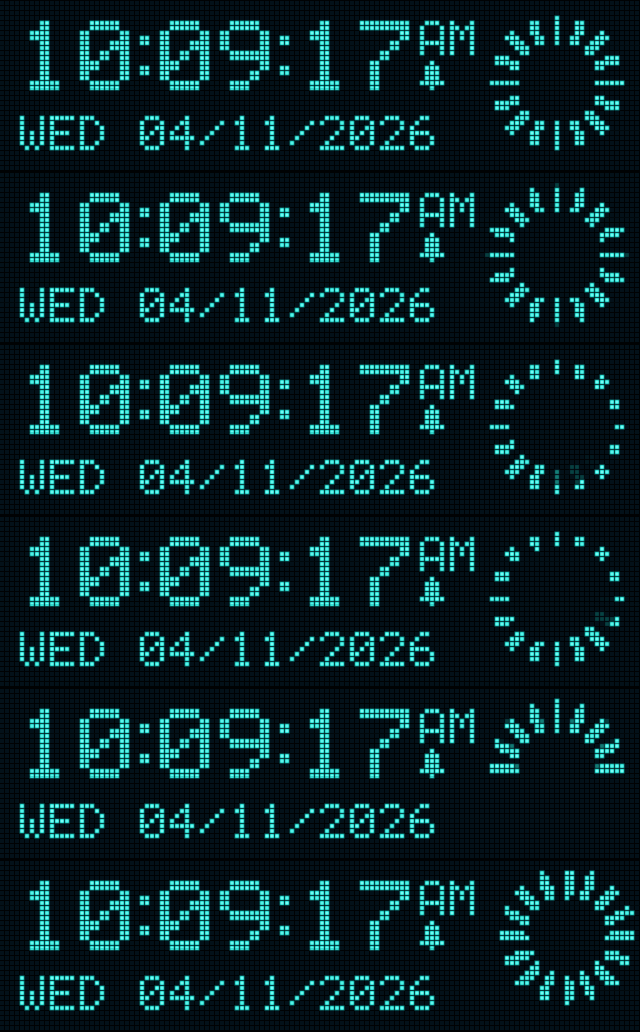
We experimented with more obvious eye shapes, but they broke the “clockiness” rule. The penny-drop moment was when we realised that a loading spinner communicates software-ness, but it can also hint at being an eye.
The nice thing about the spinner is that it can behave like an iris and a pupil, but it also feels a bit like the leaf blades of a camera shutter. Shout out to Johnny Five.
Tick can’t “see” you, of course, but the range of statuses that can be communicated with this little component is huge, especially when combined with sound. We love it.
Living with AI prototypes
Even with a semi-deterministic system, sometimes the AI can make weird decisions. This is often due to a lack of information and confabulation to fill the gaps. An important part of the design process is living with prototypes and making notes of when and where strange or funny things occur.
In our prototypes, every component we design has its own little control panel. We can change its parameters while it’s running and see straight away what that does to the rest of the composition. It’s how we find out how far each parameter should be allowed to go.
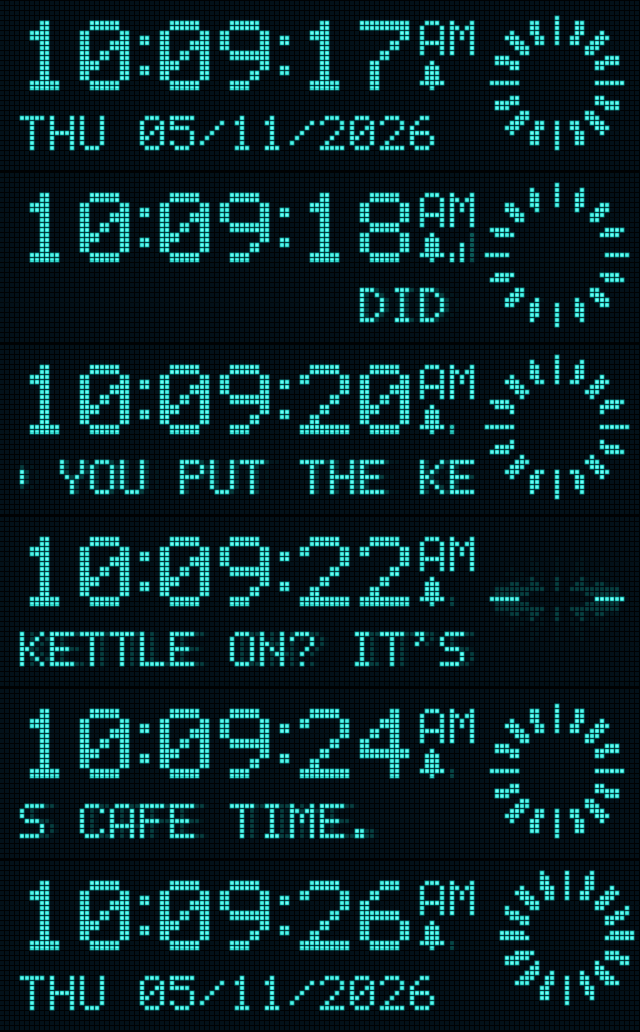
One thing we noticed is that Tick streaming everything it hears on the screen with a lag of a few seconds is super useful when you phase out and lose focus during a conversation. It’s like “catch up” mode for voice.
Every new screen Pan makes will be saved to a local library too. The second time you ask for an egg timer, it’s instant, and it’s the same egg timer as the first unless you tell it you didn’t like it. That matters as much as the elimination of latency for a model to generate a layout, because it’s what lets people learn it.
Where to next?
We’re developing more “presets” for both sound and UI, baking them into Tick’s firmware as we go, and we’re still exploring AI operability as a way of working.
In parallel, we’re scaling this up, with a view to applying this kind of thinking at enterprise level. This is where the consultancy part of Specific Interests comes into play.
We’re excited about where this goes, and we’d love to talk about how we could work together. Chat is very much invited, the human-to-human kind.
I'd love to tell you more. Let's work together.